1. Semantically Correct HTML Structure
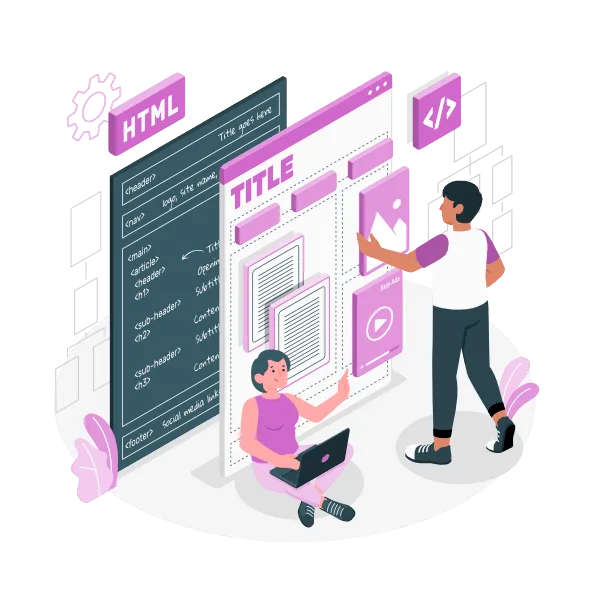
Using proper HTML elements (headings, lists, buttons, and forms) is crucial for screen readers and assistive technologies. Using <h1> the main title, followed by <h2> and <h3> in logical order, helps users navigate efficiently. For more on semantic markup, see The SEO Foundation Every New Website Needs.
2. Clear and Descriptive Form Labels
Forms must be accessible for all users. Each form field has an explicit <label> link to its input element, improving usability for screen readers and keyboard navigation. Related reading: What Every Website Owner Should Know About GDPR.
3. Use of ARIA Roles and Landmarks
ARIA (Accessible Rich Internet Applications) attributes fill in gaps where HTML alone isn’t sufficient. Using role="navigation",aria-live regions enhances the experience for users relying on assistive devices.
External reference: W3C ARIA Authoring Practices
4. Colour Contrast and Visual Clarity
All colour combinations meet or exceed WCAG 2.1 AA standards. Proper contrast improves readability for visually impaired users and everyone on mobile or in bright environments. Related: Why Website Accessibility Matters.
5. Keyboard-Only Navigation
Many users rely solely on keyboard navigation. I ensure that links, buttons, menus, and forms are reachable and operable via keyboard. Visible focus indicators help users track their location.
6. Text Alternatives for Non-Text Content
Every image, icon, and multimedia element includes descriptive alt text or captions. This improves accessibility and boosts SEO through better semantic content. For guidance on image SEO, see Lazy Loading Images: The SEO-Boosting, Speed-Improving Trick.
7. Responsive and Scalable Text
Text should resize without breaking the layout. Using relative units like em ‘or’ % allows users to zoom or adjust font sizes without losing content structure.
8. Testing with Assistive Technologies
Manual testing with screen readers such as NVDA, JAWS, or VoiceOver ensures real-world accessibility. Automated tools alone cannot capture all usability issues.
9. Avoiding Time-Based Restrictions
I avoid forcing users to complete tasks within strict time limits. If limits are necessary (forms, quizzes), I provide options to extend or disable them to prevent exclusion.
10. Providing Accessible Multimedia
All video and audio content includes captions, transcripts, or audio descriptions. This ensures that users with hearing or visual impairments can fully access your content. External reference: WebAIM Multimedia Accessibility Guidelines.
Why These Practices Matter
Implementing these accessibility measures creates a website that welcomes everyone — including users with disabilities, older adults, and those using mobile or assistive devices. It also helps your business:
Reach a wider audience (Benefits of Accessible Websites)
Comply with legal regulations (ADA, UK Equality Act) (UK Government Accessibility Guidance)
Improve SEO through better semantic structure and usability (SEO Foundation Guide)
Enhance overall user experience, leading to higher engagement and conversions (What Makes a Website Actually Work for Your Business?)
If you’d like, I can help you develop a detailed accessibility audit or provide tailored recommendations for your existing site.
Optional reading.
Accessibility – Learn more about accessibility standards and best practices.
Web Design & Development – Discover how accessibility integrates with modern development workflows.
Website Maintenance – Keep your site accessible with ongoing testing and updates.
SEO & Performance – See how accessibility benefits SEO and site performance.